YOU ARE IN!
Thank you!
Congratulations on making a meaningful investment in yourself and your musical journey!
Setting Up for Zoom Piano Lessons
1. Devices to Use
Use a laptop or iPad for Zoom lessons.
Do NOT use only a phone—the screen is too small.
2. Camera Setup
Place your device on a stable surface (desk, music stand, or tripod).
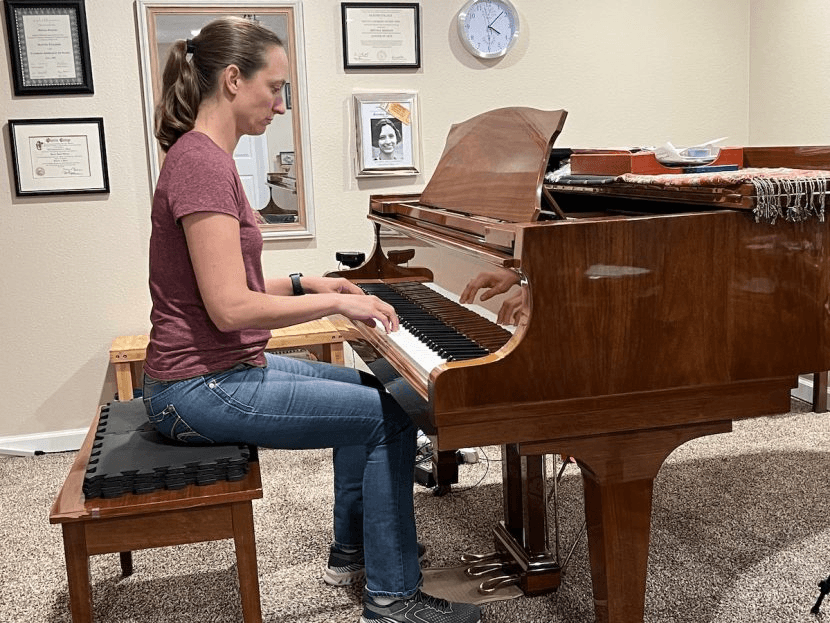
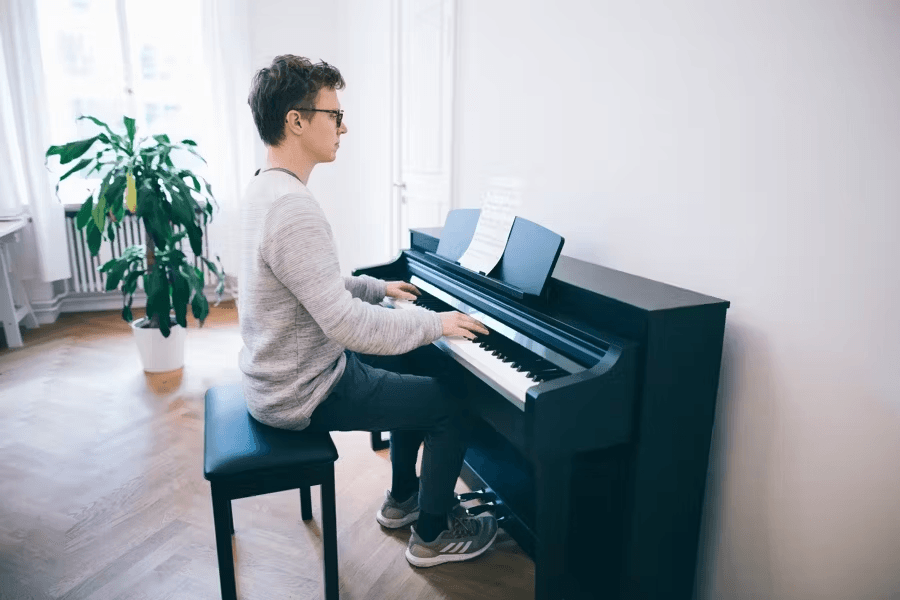
Best angle: Position the camera to the side, showing your whole body, torso, and feet.
Make sure the keyboard and hands are clearly visible.
3. Lighting & Sound
Make sure it's bright enough so everything is clear.
Keep background noise low for clear audio.
4. Internet & Lesson Prep
Connect to a strong Wi-Fi signal or use a wired connection.
Limit other devices using the internet at the same time. (If another device is in a meeting, it will slow down your connection and cause poor video/audio quality.)
Have your music book, pencil, and notes ready.
Log in a few minutes early to check audio and video.
Position your device before the lesson starts so you’re ready to play.
5. Joining the Lesson
Use the same Zoom link every time: Join Here
Meeting ID: 383 749 6577 (No password needed)
Join at your scheduled time, and you will be placed in the waiting room until I let you in.
6. Zoom Settings (Before the Lesson)
Open Zoom on your laptop or iPad.
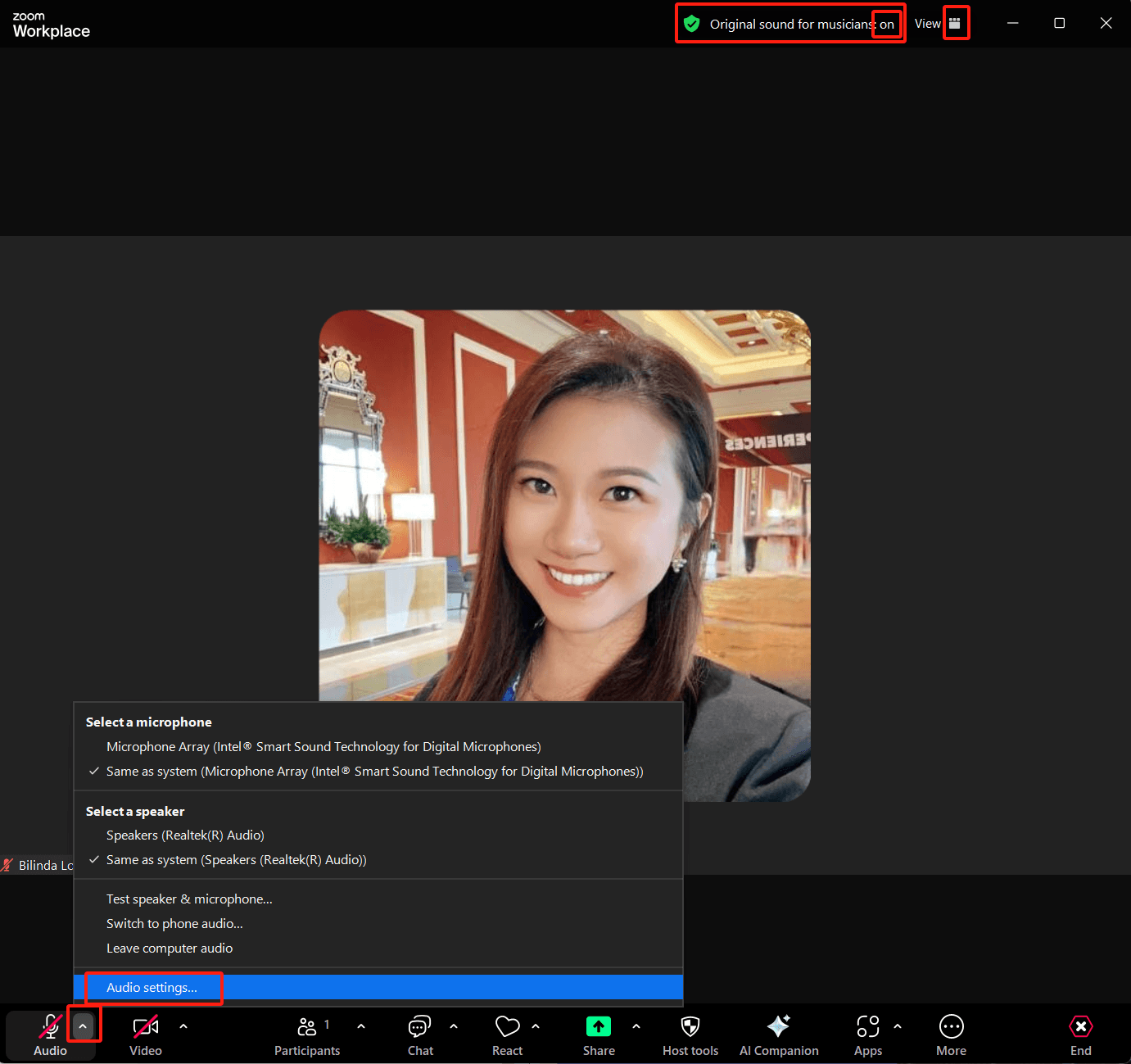
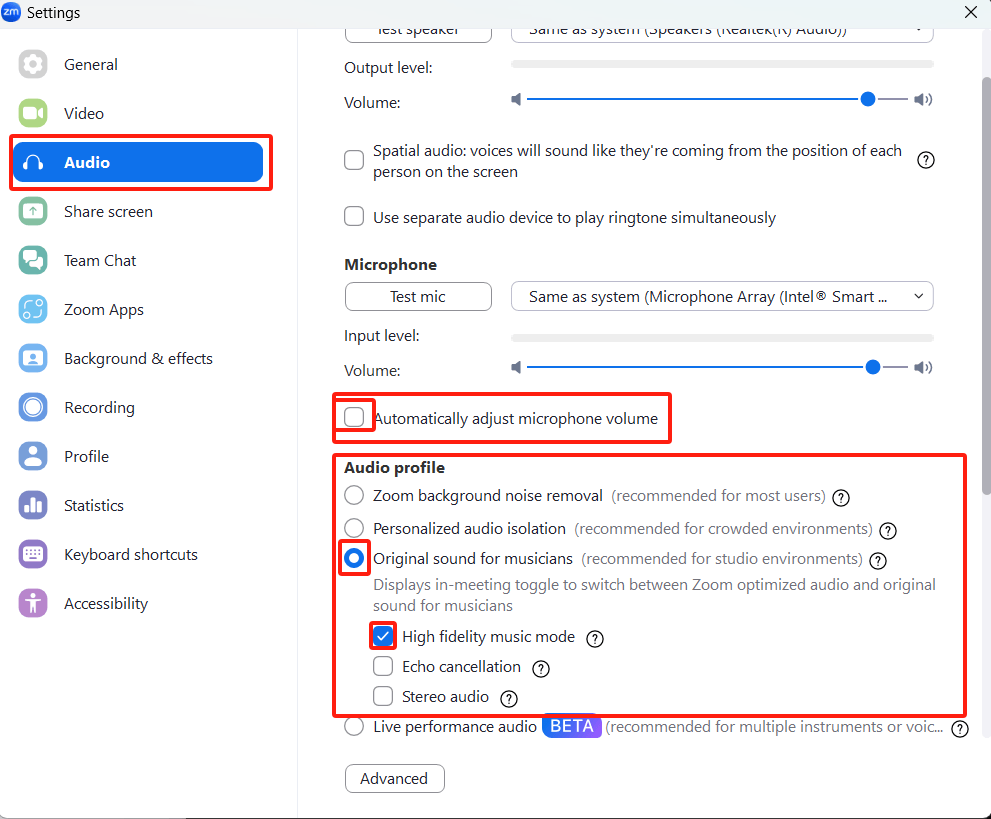
Go to Settings > Audio and:
Turn OFF “Automatically adjust microphone volume”
Enable “Original Sound for Musicians” and turn it ON during the lesson.
Set Suppress Background Noise to LOW.
Use Speaker View (not Gallery View) to see your teacher clearly.