YOU ARE IN!
Thank you!
Congratulations on making a meaningful investment in yourself and your musical journey! I look forward to seeing your playing!
How to Record and Send Your Piano Video
1. Use a smartphone or tablet to record.
2. Use the back camera (not the front) to avoid a reversed image.
3. Place it on a stable surface (tripod or table).
4. Film in horizontal (landscape) mode.
5. Best angle: Film your whole body, including your torso and feet from the side.
6. Make sure it's bright enough so everything is clear.
7. Keep background noise low for clear sound.
8. Send your video to learnpiano@bilindapiano.com :
Upload to Google Drive, set sharing to “Anyone with the link can view,” and send the link.
Upload as Unlisted on YouTube and send the link.
Email (if the file is small).
9. Please also send me clear pictures of the music.
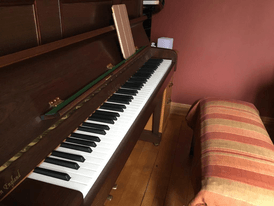
A possible camera angle for students to aim for - landscape mode.